


Writing clear and professional content has become essential in today’s digital world. Emails, social posts, documents, and client messages all demand accuracy and speed. This is where AI writing tools play a major role. Spellro is one such tool designed to simplify writing tasks and improve productivity across platforms. This article explains everything you need to know about the Spellro Chrome extension download, its features, benefits, and how it helps users write better every day.
What Is Spellro?
Spellro is an AI-powered writing assistant built to improve grammar, clarity, and overall writing quality. It works directly inside your browser, allowing you to edit and enhance text without switching between apps. Whether you are writing an email, a blog post, or a social media caption, Spellro helps you create polished content instantly.
The tool focuses on speed, accuracy, and simplicity. Users can rewrite sentences, fix grammar mistakes, expand short text, summarize long content, and translate languages in just a few clicks. Spellro fits naturally into daily workflows and saves valuable time.
Why Choose a Chrome-Based Writing Assistant?
Browser-based tools offer a clear advantage. They work where you already write. A Chrome extension removes the need to copy and paste text into separate platforms. Spellro integrates directly with websites, online editors, email clients, and social platforms.
This seamless experience makes writing faster and less distracting. Users stay focused on their task while Spellro works in the background. For professionals and students alike, this convenience improves efficiency and output quality.
Spellro Chrome Extension Download Explained
The Spellro Chrome extension download allows users to access AI writing features directly in their browser. Once installed, the extension activates wherever text input is available. You can edit content in real time without opening another tab or application.
The installation process is simple and user-friendly. After downloading the extension, users can start improving their writing instantly. Spellro runs smoothly without slowing down the browser, making it suitable for daily use.
Key Writing Features That Matter
Spellro offers a wide range of writing tools designed for practical use. Grammar correction helps eliminate spelling and punctuation errors. Sentence rewriting improves clarity and tone. Text expansion allows users to turn short ideas into detailed content.
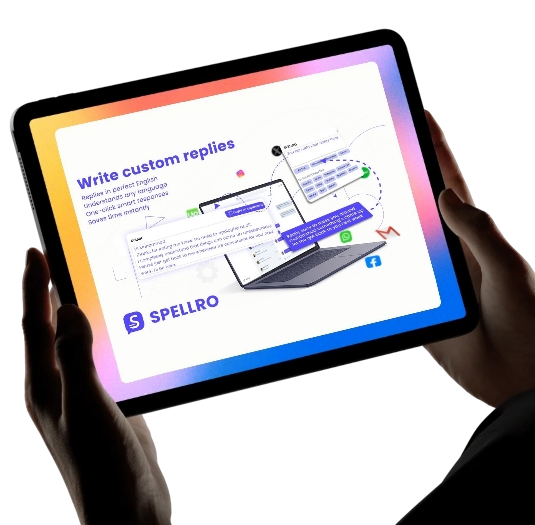
The summarization feature is useful for condensing long articles or notes into short, readable versions. Smart replies help users respond quickly to emails or messages. Translation tools make it easier to write across languages without breaking flow.
Each feature focuses on real writing needs rather than unnecessary complexity.
Designed for Real Users
Spellro supports different user types. Students use it to improve assignments and academic writing. Professionals rely on it for emails, reports, and client communication. Marketers use it to refine copy and generate ideas quickly.
The interface remains clean and easy to understand. Even first-time users can navigate features without training. This accessibility makes Spellro suitable for both beginners and advanced users.
Writing Faster Without Losing Quality
Speed often comes at the cost of quality. Spellro solves this problem by combining both. The AI suggests improvements instantly, allowing users to write faster while maintaining accuracy.
Short sentences and active voice enhancements help content sound natural and engaging. The tool does not replace human creativity. Instead, it supports it by removing common writing obstacles.
Productivity Benefits of Using Spellro
Time management plays a major role in modern work environments. Spellro reduces editing time and minimizes repeated revisions. Users can finalize content faster and focus on higher-value tasks.
The extension also helps maintain consistency in tone and style. This is especially useful for teams and professionals who communicate frequently with clients or audiences.
By streamlining the writing process, Spellro increases daily productivity without added stress.
Safe and Browser-Friendly Performance
Spellro is built to run efficiently within Chrome. It does not interfere with browsing speed or website performance. The extension activates only when needed, keeping system resources optimized.
User privacy also matters. Writing tools must handle content responsibly. Spellro focuses on secure processing and smooth browser integration, making it a reliable choice for regular use.
Who Should Use Spellro?
Spellro is ideal for anyone who writes online. Freelancers benefit from faster content creation. Business owners improve professional communication. Students enhance clarity and grammar in assignments.
Non-native English speakers also find Spellro useful. The tool helps correct sentence structure and improve fluency without complex rules. This support builds confidence and improves overall writing skills.
How Spellro Stands Out
Many writing tools offer similar features, but Spellro focuses on simplicity and real-world use. Instead of overwhelming users with advanced settings, it delivers practical tools that work instantly.
The balance between automation and control makes Spellro effective. Users decide when to accept suggestions and when to keep their original voice. This flexibility helps maintain authenticity in writing.
Getting Started the Right Way
To experience all these benefits, users need to complete the Spellro Chrome extension download and activate it in their browser. After installation, the extension becomes available across supported platforms.
No complex setup is required. Users can start writing, editing, and improving content immediately. This ease of use makes Spellro accessible even for those new to AI tools.
Final Thoughts
Writing quality impacts communication, credibility, and productivity. Spellro provides a practical solution for improving writing without adding complexity. With real-time editing, smart suggestions, and browser-level integration, it supports better writing habits.
The Spellro Chrome extension download offers a simple way to access powerful AI writing tools directly inside Chrome. Whether you write occasionally or daily, Spellro helps you write faster, clearer, and more confidently. For blog visit our site fliparticle.
Improve XML Workflow Efficiency with Online Tools
Melbet Promo Code 2026: LUX888 – New Accounts
Scissor Lift Table Manufacturers: A Complete Guide to Smart Material Handling Solutions
Why Graphically Is Perfect for Startups Needing Consistent Design
Understanding Refusal Charges in New Jersey: A Separate Offense
About the Author