Buying tiles should feel exciting. But for most customers, it turns into guesswork fast.
They like the tile. They like the price. Then the doubt hits: Will this look too dark in my living room? Will the pattern feel busy? What about grout lines? And is this actually the right size for my space?
That hesitation doesn’t mean your product is weak. It means the buyer can’t picture it confidently. And that’s exactly why the ai tile visualizer is becoming the most practical sales tool in the tile industry right now.
In this post, I’ll break down what an ai tile visualizer is, why it’s changing how tiles are sold, and how brands and dealers are using it to reduce objections, speed up decisions, and increase conversions.
What an AI Tile Visualizer Really Does (In Plain English)
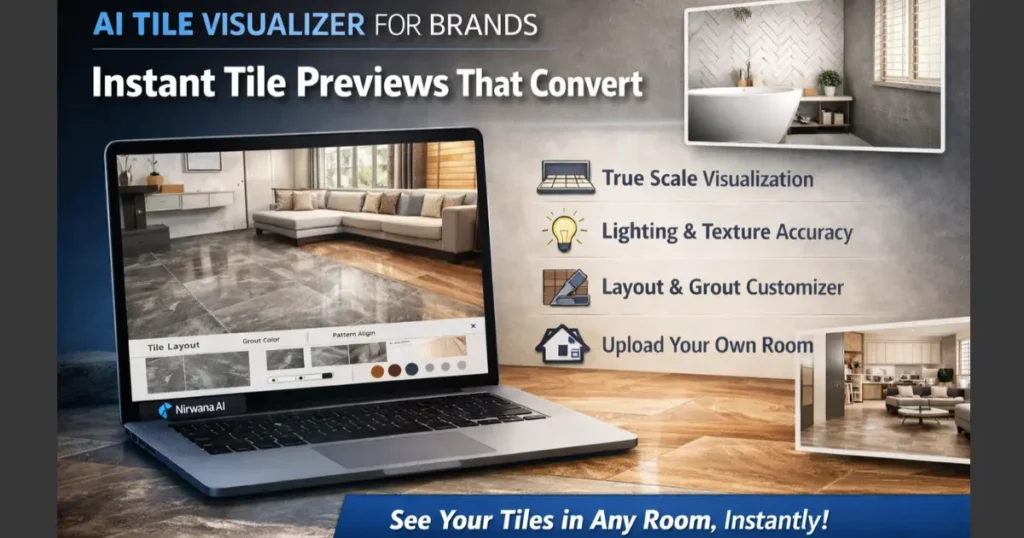
An ai tile visualizer lets a shopper see your tiles inside a real room photo, in a realistic way, within seconds. The customer can upload their own room (or choose from preset rooms), select a tile, and instantly preview how it looks on the floor or wall.
But the real value isn’t just “a preview.”
A strong ai tile visualizer simulates the buying reality: lighting, scale, layout direction, and grout. It helps customers answer the questions that typically block tile purchases.
The “tile showroom problem” moved online
In a physical showroom, customers compare tiles by holding samples, walking around, and imagining. Online, they scroll and guess. That gap is where conversions die.
An ai tile visualizer closes that gap by turning “I think it will look good” into “I can see it in my room.”
Why Tile Buyers Hesitate (And Why Photos Don’t Fix It)
Most tile brands still rely on catalog photos, product close-ups, and lifestyle images. Those are important, but they don’t solve the core problems tile buyers face.
Here’s what usually happens:
- The tile looks different in a real space than it does on a white background.
- The buyer can’t judge whether it will make the room feel larger or smaller.
- They don’t understand how grout lines will change the final look.
- They can’t visualize layout direction (horizontal vs vertical, straight vs staggered).
- They worry about “expensive mistakes,” especially for large areas.
A high-performing ai tile visualizer reduces all of these doubts in one flow. It doesn’t just show a tile. It helps the buyer decide.
Real Ways Brands Use an AI Tile Visualizer to Sell More Tiles
This isn’t a “nice-to-have” feature anymore. Tile brands and dealers are using ai tile visualizer experiences in very practical ways across the customer journey.
1) Higher conversion on product pages
Imagine a product page that doesn’t just show a tile slab photo. It lets shoppers click “See it in my room,” preview instantly, adjust grout, and compare 2–3 options.
That keeps people engaged longer, increases add-to-cart intent, and reduces bounce—because the customer is no longer stuck in imagination mode.
2) Faster closure in WhatsApp and dealer sales
In many markets, tile buying is still heavily assisted. A customer asks for options on WhatsApp, the salesperson sends images, and the conversation goes in circles.
With an ai tile visualizer, the salesperson can send a realistic room preview instead of just a tile image. It changes the tone of the conversation from “Here are some options” to “Here’s how it looks in your space.”
That’s a huge shift. And it closes deals faster.
3) Better upsell for premium tiles
Premium tiles often lose to cheaper tiles because the value isn’t visible in a static photo. If a customer can see how a premium tile elevates the whole room, the price feels more justified.
An ai tile visualizer gives premium products a fair chance because it sells the feeling, not just the spec.
What to Look for in a High-Quality AI Tile Visualizer
Not all visualizers are equal. If the preview looks fake, stretched, or “overlay-ish,” it can actually reduce trust. Customers will notice.
Here are the features that separate a serious ai tile visualizer from a basic demo tool.
True-scale placement and realistic perspective
Tiles are all about scale. A 600×600 tile and a 1200×600 tile create very different room impressions. Your visualizer must respect size and perspective so the preview feels believable.
Pattern alignment and clean repeats
Many tiles have directional veins, prints, or geometric patterns. If the repeat looks random or misaligned, the preview feels wrong.
A good ai tile visualizer should support pattern alignment that looks natural and consistent.
Grout and layout control
Grout isn’t a small detail—it changes everything. The ability to adjust grout tone and spacing makes the preview dramatically closer to real installation.
Layout options like straight lay, brick, and other patterns also matter, especially for wood-look planks and large-format tiles.
Lighting and finish realism
Glossy tiles reflect light differently than matte tiles. A realistic ai tile visualizer accounts for this so the final output looks like a real room photo, not a flat texture pasted on top.
This is where modern AI-based rendering can outperform older rule-based systems.
A Simple Example: How This Looks in a Real Customer Journey
Let’s say a customer is renovating a small apartment kitchen.
They shortlist three tiles on your website:
- A light grey matte
- A warm beige stone-look
- A high-gloss white
With an ai tile visualizer, they upload a photo of their kitchen and try all three options.
They instantly notice:
- The glossy white looks too reflective under their lighting.
- The warm beige makes the space feel cozy, but slightly darker than expected.
- The light grey matte gives the clean, bright look they wanted.
This isn’t just “fun.” It’s decision-making support.
Now imagine the same customer without a visualizer. They would likely postpone, ask more people, visit another store, or abandon the purchase entirely.
How Nirwana.ai Fits Into This Shift (Without the Fluff)
Tile visualization is becoming a standard expectation. The brands that win will be the ones that make buying feel confident and fast.
Tools like Nirwana.ai are built specifically for this new reality—helping tile brands deliver realistic room previews, reduce customer confusion, and make product selection easier across both online and assisted sales channels.
The best part is that when the visual experience feels premium, your brand feels premium too. Nirwana.ai supports modern visualization expectations: realistic previews, clean outputs, and a buyer flow that feels simple instead of technical.
Used the right way, an ai tile visualizer becomes part of your sales engine, not just a website feature.
Common Mistakes to Avoid When Launching an AI Tile Visualizer
Even great tools can underperform if the rollout is messy. Here are a few mistakes brands make:
Treating it like a side feature
If the visualizer is hidden behind menus, people won’t use it. Put “Try in your room” where buyers make decisions: product pages, category pages, and lead conversations.
Using low-quality tile images
Visualization quality depends heavily on input quality. If your tile textures are low-res, poorly lit, or inconsistent, the results won’t look premium.
Not training the sales team to use it
Your dealers and internal sales team should know how to generate quick previews and share them. This is where adoption turns into real revenue impact.
The Bottom Line
An ai tile visualizer isn’t about flashy tech. It’s about removing the biggest friction in tile buying: uncertainty.
When customers can preview tiles in their own room, compare options quickly, and feel confident about scale, layout, and finish, they buy faster—and they buy with fewer objections.
If you’re a tile brand, dealer, or distributor looking to improve conversions, reduce back-and-forth, and modernize the buyer experience, this is one of the most practical upgrades you can make.
And if you want to explore what a premium ai tile visualizer experience can look like for your catalog, you can check out Nirwana.ai and see how brands are using it to make tile selection feel simple, real, and confident.
