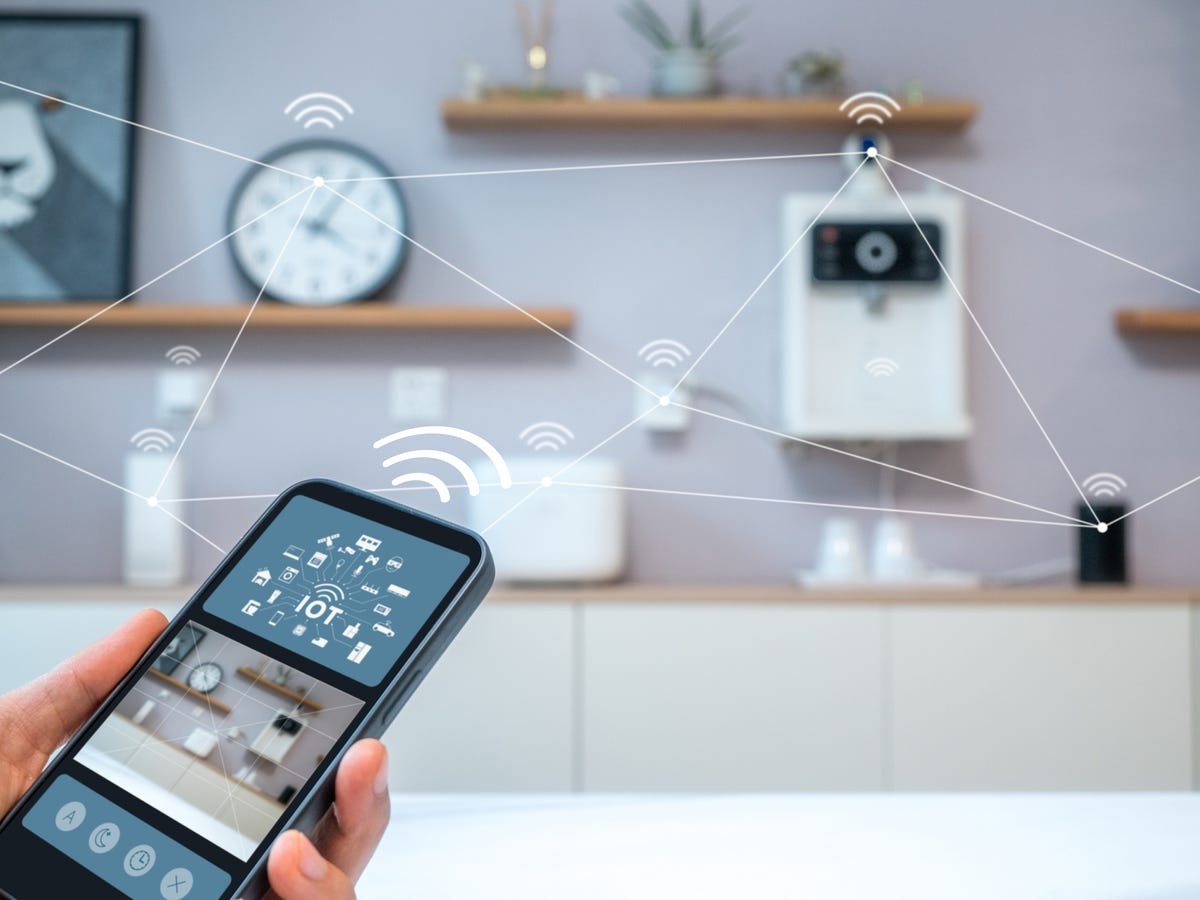
Smart homes are becoming more popular every year. Many people now use connected devices to make their homes safer, more comfortable, and more efficient. Lights can turn on automatically, thermostats adjust the temperature, and security cameras can be checked from anywhere. However, when you have many devices from different brands, connecting them into one system can feel confusing.
This guide will explain how to connect multiple Smart Gadgets into one smart home system in simple steps. You will learn how to choose the right platform, connect devices easily, and manage everything from one place.
Understanding a Smart Home System
A smart home system is a network of connected devices that communicate with each other through the internet or a local network. These devices can be controlled using a mobile app, voice assistant, or automation settings.
Common smart home devices include:
- Smart lights
- Smart plugs
- Smart security cameras
- Smart thermostats
- Smart door locks
- Smart speakers
The goal of a smart home system is to make everyday tasks easier. Instead of controlling each device separately, you manage everything through one central platform.
Why Integrating Devices Is Important
Many homeowners buy devices from different brands over time. While each device works well individually, managing multiple apps can be frustrating.
Connecting devices into one ecosystem offers several advantages:
1. Easier Control
You can manage all devices from one app or voice assistant instead of switching between multiple apps.
2. Automation
Devices can work together. For example, lights can turn on when motion is detected, or the thermostat can adjust when you leave home.
3. Energy Efficiency
Automation helps reduce wasted energy. Lights and appliances can turn off automatically when not needed.
4. Better Home Security
Security cameras, door sensors, and alarms can all communicate with each other.
Choosing the Right Smart Home Platform
The first step is selecting a central platform. A platform acts as the brain of your smart home system.
Popular options include:
- Google Home
- Amazon Alexa
- Apple HomeKit
- Samsung SmartThings
When choosing a platform, consider:
- Device compatibility
- Ease of use
- Automation features
- Voice assistant support
A good platform will allow you to connect many brands of Smart Gadgets without complicated setup.
Step-by-Step Guide to Connect Devices
Step 1: Set Up Your Smart Home Hub
A hub connects different devices together. Some platforms require a hub, while others connect directly through Wi-Fi.
Examples include:
- Smart speakers
- Dedicated smart hubs
- Home automation controllers
After installing the hub, download the official mobile app and create an account.
Step 2: Connect Devices to Wi-Fi
Most smart devices need Wi-Fi to work. Follow these steps:
- Turn on the device.
- Open the smart home app.
- Select “Add Device.”
- Follow the instructions to connect it to your Wi-Fi network.
Once connected, the device should appear in the app.
Step 3: Organize Devices by Room
To make your system easier to manage, group devices by rooms.
Examples:
- Living Room
- Bedroom
- Kitchen
- Office
This organization helps when giving voice commands or creating automation routines.
For example:
- “Turn off bedroom lights.”
- “Set living room temperature to 22°C.”
Creating Smart Home Automation
Automation is one of the most powerful features of a smart home.
Automation allows devices to perform actions automatically based on conditions such as time, motion, or location.
Examples include:
- Lights turning on at sunset
- Door locks activating when you leave home
- Cameras sending alerts when motion is detected
You can also create routines like:
Morning Routine
- Lights turn on gradually
- Coffee maker starts
- Weather information plays on smart speaker
Automation reduces manual work and makes the home more efficient.
Connecting Devices From Different Categories
Many homes now include technology across multiple lifestyle categories. These devices can also be part of a connected system.
Fitness and Wellness Devices
Health tracking devices, smart scales, and wellness monitors can connect with your smart home ecosystem. Many of these products fall under the Health & Beauty category and allow users to monitor their wellness routines more effectively.
For example:
- Smart mirrors with lighting control
- Connected health trackers
- Smart lighting for skincare routines
When integrated into the home system, devices related to Health & Beauty can trigger reminders, lighting adjustments, or schedule notifications.
Smart Products for Pet Care
Technology is also helping pet owners manage daily care routines. Devices like automatic feeders, smart water dispensers, and pet cameras are becoming more common.
Products in the Pet essentials category can connect to smart home apps to create helpful routines.
For example:
- Automatic feeding schedules
- Pet activity tracking
- Remote monitoring while away
Using connected Pet essentials ensures pets are cared for even when owners are busy or traveling.
Lifestyle and Gift Items
Some smart home devices also fall into lifestyle or decorative categories. Certain collections, such as Moody’s Extraordinary – Gifts & Collectibles, include unique items that combine style with smart technology.
These products may include:
- Smart decorative lighting
- Collectible smart clocks
- Artistic smart displays
Collections like Moody’s Extraordinary – Gifts & Collectibles show how smart home technology can blend functionality with design.
Using Voice Assistants
Voice assistants make smart homes easier to control.
Popular assistants include:
- Google Assistant
- Amazon Alexa
- Apple Siri
Once devices are connected, you can control them with simple voice commands such as:
- “Turn on the living room lights.”
- “Lock the front door.”
- “Set thermostat to 21 degrees.”
Voice assistants are especially useful for elderly users or busy households.
Managing Devices Through One App
Many platforms allow you to control everything from a single dashboard.
From the main app you can:
- Turn devices on or off
- Monitor security cameras
- Adjust lighting and temperature
- Create automation routines
This centralized control system makes managing Smart Gadgets much simpler.
Tips for a Stable Smart Home Network
A reliable internet connection is very important for a smart home system.
Here are some tips to improve performance:
1. Use Strong Wi-Fi
Place your router in a central location to ensure good signal coverage.
2. Use a Mesh Network
Large homes may benefit from mesh Wi-Fi systems that extend coverage.
3. Update Firmware Regularly
Manufacturers release updates to improve security and performance.
4. Use Secure Passwords
Protect your network with strong passwords to prevent unauthorized access.
Common Problems and How to Fix Them
Even well-designed smart homes may experience small issues. Here are some common problems and solutions.
Device Not Connecting
Possible causes:
- Weak Wi-Fi signal
- Incorrect password
- Device not in pairing mode
Solution: Restart the router and try reconnecting the device.
Devices Not Responding
Sometimes connected Smart Gadgets stop responding due to software glitches.
Solution:
- Restart the device
- Update the app
- Reconnect the device
App Not Detecting Devices
Make sure:
- Bluetooth is enabled (if required)
- The device is compatible with your platform
- Firmware is up to date
Security Tips for Smart Homes
Smart homes bring convenience, but security is important.
Follow these safety practices:
- Enable two-factor authentication
- Use strong passwords
- Keep devices updated
- Avoid public Wi-Fi for smart home control
These steps help protect your connected system from cyber threats.
Future of Smart Homes
Smart home technology continues to improve every year.
Future systems may include:
- AI-powered automation
- Advanced energy management
- Health monitoring systems
- More device compatibility
Categories like Health & Beauty will continue to expand with wellness technology, while connected Pet essentials products will make pet care even easier.
Design collections such as Moody’s Extraordinary – Gifts & Collectibles also demonstrate how technology can blend with creativity and lifestyle products.
Final Thoughts
Connecting multiple devices into one smart home system may seem complicated at first, but the process becomes easy once you choose the right platform and follow a step-by-step setup. Organizing devices by rooms, using automation routines, and maintaining a stable network are key factors for success.
A well-connected home improves convenience, security, and energy efficiency. As technology continues to evolve, more innovative products will become available to enhance daily living. When exploring creative lifestyle technology and curated product collections, Moody’s Extraordinary represents a modern approach to combining smart living with unique design.
FAQs
1. What is the easiest way to connect multiple smart devices?
The easiest method is to use a central smart home platform like Google Home, Alexa, or SmartThings that supports many device brands.
2. Do all smart devices need a hub?
No. Some devices connect directly to Wi-Fi, while others require a dedicated hub for communication.
3. Can devices from different brands work together?
Yes. Many smart home platforms support devices from different manufacturers if they follow compatible standards.
4. Is a smart home system secure?
Yes, but security depends on strong passwords, updated firmware, and enabling two-factor authentication.
5. Do smart home devices increase electricity use?
Most devices use very little power and can actually reduce electricity usage through automation and scheduling.
